
The freight market is already tough enough without cybercriminals actively trying to steal your identity. Over the past several months, a massive, highly targeted phishing mechanism has been tearing through the logistics space. Hackers are no longer just guessing passwords; they are tricking dispatchers into handing over total control of their computers using lookalike onboarding websites and weaponized files.
If you are a carrier or an independent dispatcher looking for high-paying loads, you need to understand exactly how this trap operates. It takes less than one second for an innocent download to ruin your business reputation and empty your bank account.
The Setup: Hooking the Aggressive Dispatcher
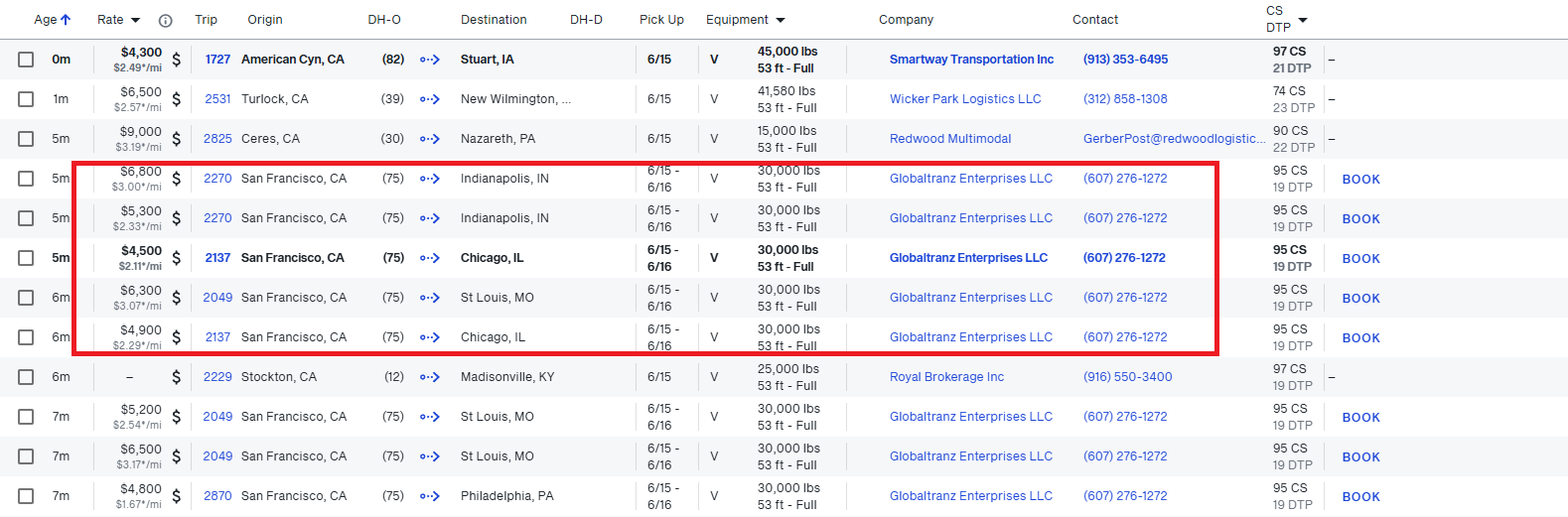
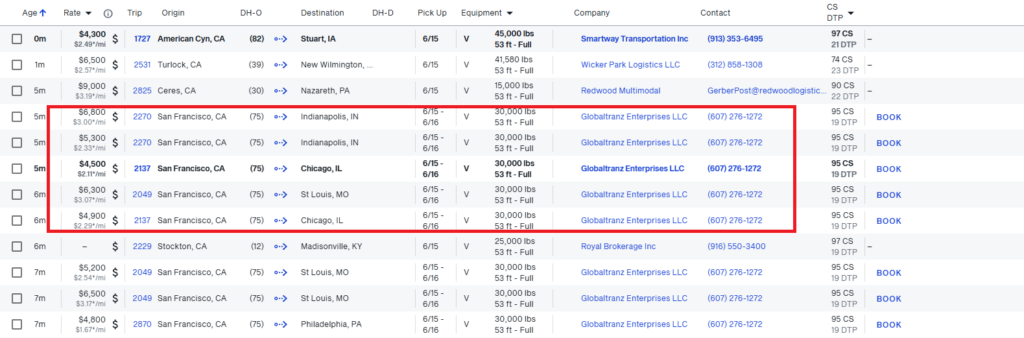
The scam starts on the load board. Bad actors hack into the legitimate, long-standing DAT accounts of established brokers. Once inside, they post a high-demand, high-paying random load—often offering a rate that sits $1,500 to $2,000 above the national spot market average.
When your dispatcher calls or emails the number on the screen, the response is hyper-urgent. The “broker” tells you the lane is moving fast, but they need you to complete their internal onboarding packet immediately. Instead of sending a standard PDF form or routing you to a trusted platform like RMIS, they send you an external web link with a confusing but professional-looking domain name, such as carrier-invite.com or brokerage-packet-setup.com.
When you open the page, it features clean graphics, official logos, and a massive button that reads “Download Carrier Packet (PDF)”.

The Trap: The Hidden Execution File
This is where the trap snaps shut. The file you download isn’t a document. It is a weaponized piece of computer automation code hidden behind an artificial PDF graphic icon. The file name might look totally normal, like broker_setup_agreement.pdf.exe.
When the dispatcher clicks that file, the computer screen might flash or blink for a split second. Nothing else appears to happen. The dispatcher assumes the file is corrupted, emails the broker to ask for a new link, and goes about their day.
But behind the scenes, that single click executed a hidden, background instruction script. Within that split second, the script quietly reached out to a malicious foreign server, pulled down an identity harvesting tool (an “info-stealer”), and dropped it into your operating system’s hidden folder pathways.
What Are the Risks to Your Business?
Once this code runs, your dispatch environment is entirely compromised. The malware targets three critical vectors:
- Stolen Session Credentials: The info-stealer scans Google Chrome, Microsoft Edge, and Firefox. It instantly extracts every saved corporate password, session token, and cookies file. The hackers don’t even need to bypass your Two-Factor Authentication (2FA)—they simply copy your active login state.
- DAT Account Hijacking: The criminals immediately log into your carrier profile. They use your clean safety ratings and solid credit history to post hundreds of fake ghost loads, scamming other companies under your name. Your corporate bond is trashed, and your company profile gets blocked.
- Factoring and Banking Diversions: By copying your active email session state, the attackers monitor your conversations with factoring companies. They can intercept invoice communications, alter the routing and account information, and divert thousands of dollars of your hard-earned fuel and transport money into untraceable fraudulent accounts.
Your 4-Step Dispatch Defence Checklist
Before clicking any link or downloading anything from an unverified broker entity, use this checklist:
| The Red Flag | The Danger Indicator | The Safe Practice |
| File Extensions | Any download ending in .exe, .vbs, .zip, or .bat. | Never open files that aren’t pure .pdf documents. A real onboarding form does not run configuration software. |
| Comment Contact | Free webmail accounts (@outlook.com, @gmail.com) listed inside official board comments. | Verify the broker by physically calling the official corporate number published directly on their verified FMCSA SAFER registration. |
| Domain Spells | Variations like curvlogisticsgroup.com when the original corporate web asset is curvlogistics.com. | Inspect the address bar closely. Threat actors add auxiliary trailing words to masquerade as legal entities. |
| Unreal Rate Bait | A spot lane listed significantly above current data index markers. | Use real-time rate intelligence indices to cross-check market metrics. Extreme variances mean identity theft. |
If you ever execute a file that causes your machine to quickly blink or fail to display a document, immediately disconnect that computer from the local office network and the internet, turn off the Wi-Fi card, and call a qualified local security specialist. The faster you kill the machine’s external access, the harder it is for the info-stealer to upload your data packets to the hacker’s database.
Summary of Attack Pattern
- Mostly Brokerage firms with Agency are victim of this attack. They gain access to DAT Account and then post such loads with fake email in comments.
- The Email Id will almost always will be in comments as DAT reviews what contact info to display.
- They will never answer the call as there is no load and carrier might ask many questions. Even if you call them, they will say I am getting a lot of calls, email me.
- Email will always be generic because of these reasons.
- they specifically don’t know what name to put
- the info or admin are most common user names and domain registration companies provide 1-2 free email account with domain registration.
- The Load details will be properly structured and even if you ask much higher amount, they will simply respond like “”okay, we can do, fill the packet” and then link.
- The link will take you to the website with the name of broker they are impersonating.
- It might have captcha and other verification just to look like its genuine website. Sometimes, they route traffic via Cloudflare to mask their IP address and Cloudflare auto puts those verification captcha.
- Once website is loaded, you will see link with Download Packet button or they might want you to run the code they already injected in your clipboard.
- Once you clicked either downloaded file or run the script, your screen might blink for couple of times but you won’t notice anything.
- They will install Keylogger and Remote Screenshot application. Then they can access your passwords from browser or what you type or even intercept email codes and login to systems with your access.
How to Save yourself?
- Never trust any links except reputed sites like
- Highway.com
- MyCarrierPortal
- RMIS
- Some bigger companies might have their own portal but be very carefull and sure before submitting any info.
- Normal PDF files can be easily sent via Email, so no need to click any link to download them.
- Notice the extension of the file. (the part of file name after last . (period)). If that is .exe, .vbs or .ps or something like those, never click them.
- If you accidentally clicked the file, best option for you is
- to immediately disconnect from internet.
- complete reset the PC with partition delete method so there is no leftovers of attack.
Follow us for more such useful blog posts